General Settings
The General Settings page allows you to configure key workforce parameters, including shift hours, scheduled break times, and the threshold for detecting worker idleness. These settings help ensure accurate activity tracking and alignment with your facility's operational schedule.
Page Elements
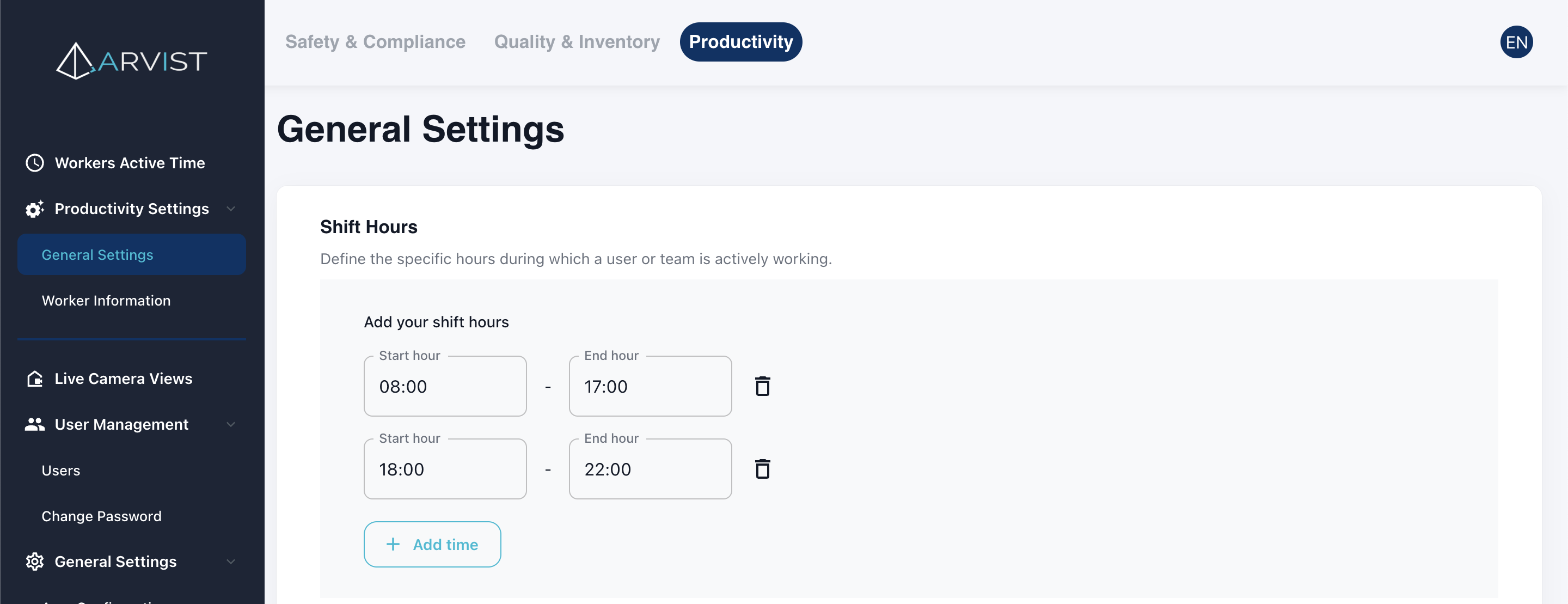
1. Shift Hours
Define the working periods your facility operates under. You can create one or multiple shifts (e.g., Day Shift, Night Shift). For each shift you will specify:
- Start Hour – the exact clock-in time (12-hour format).
- End Hour – the exact clock-out time (12-hour format).
2. Break Times
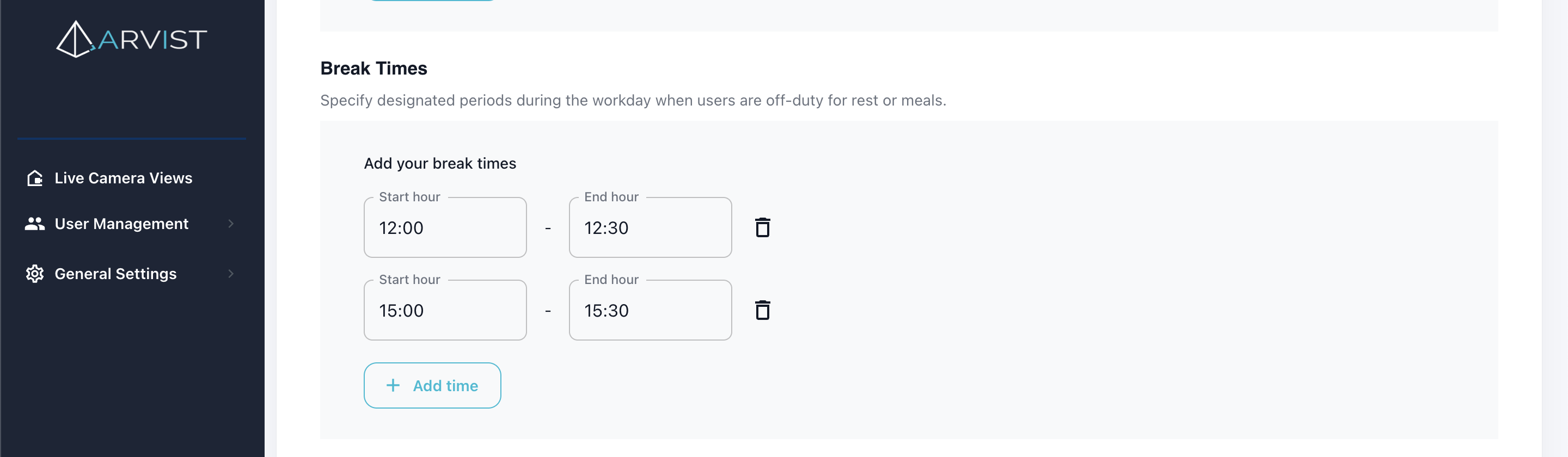
Configure one or more breaks that apply to the shifts defined above. For each shift you will specify:
- Start Hour – the exact time the break starts (12-hour format).
- End Hour – the exact time the break ends (12-hour format).
3. Worker Idle Threshold
Set the maximum allowable time (in seconds) that a worker can remain outside their designated work area before being flagged as idle.
