Camera Views
The Camera Views in Arvist provides a comprehensive interface for viewing, managing, and interacting with live camera feeds across your facility. This page is crucial for real-time monitoring and ensuring the security and efficiency of your operations.
Overview of the Camera Views
1. Live Camera Views
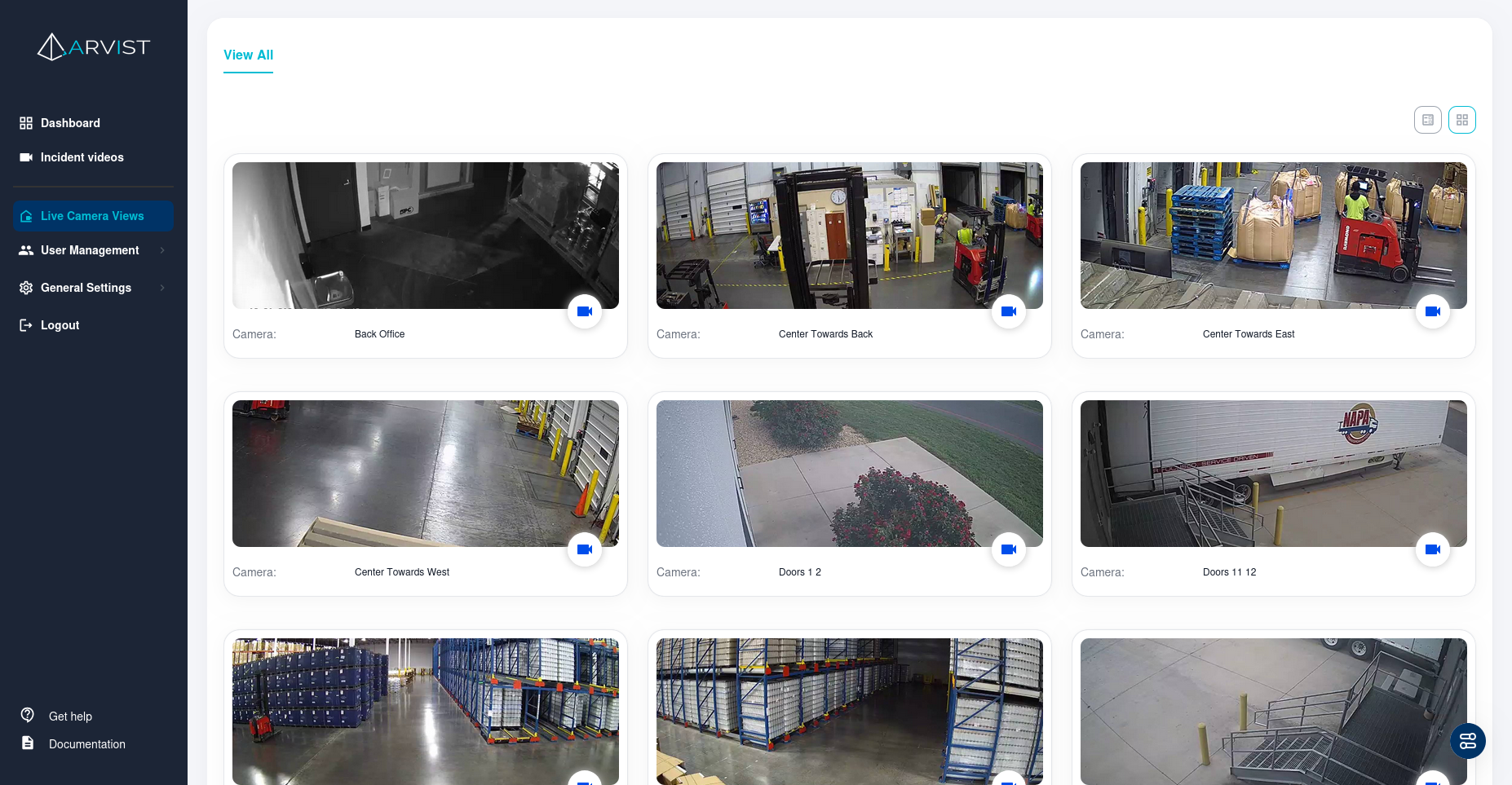
Upon accessing the Camera Views, you will see a grid or list view of all available camera feeds. Each feed displays a live snapshot of the current view from the camera, along with its assigned label for easy identification.
2. Camera Interaction Options
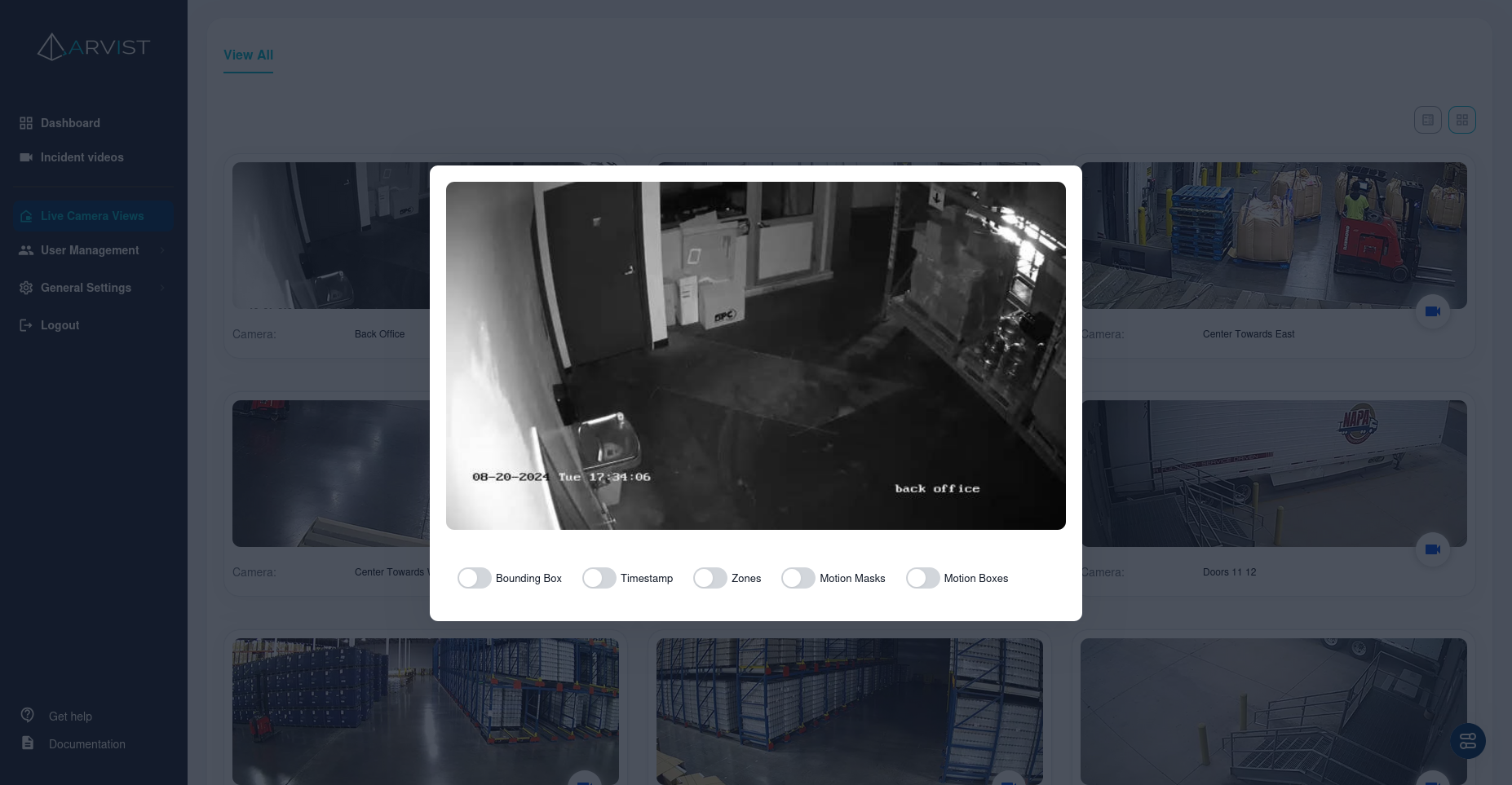
When you select a camera feed, you can interact with the live view through several options:
- Bounding Box: Toggle this to display bounding boxes around detected objects or persons within the camera's view.
- Timestamp: Enables or disables the display of the timestamp on the live feed, useful for tracking when events occur.
- Zones: Visualize predefined detection zones within the camera’s view, useful for monitoring specific areas of interest.
- Motion Masks: Display or hide areas of the camera feed where motion detection is either enabled or ignored.
- Motion Boxes: Highlight areas of motion within the camera's view, useful for identifying movement within the scene.
3. Viewing and Managing Multiple Cameras
- Grid/List View: Toggle between a grid view for a broad overview of multiple cameras or a list view for detailed information about each feed.
- View All: Easily access all available camera feeds from a single interface, allowing you to monitor multiple areas of your facility simultaneously.
4. Camera Labels and Locations
Each camera feed is labeled with its designated name and location. This helps in quickly identifying the feed's source, especially in environments with a large number of cameras.
5. Additional Features
- Zoom and Pan: Some cameras may support digital zoom and panning, enabling you to focus on specific areas within the camera’s view.
- Event Review: For cameras set to detect specific events (e.g., motion, unauthorized access), you can quickly review recent activities directly from the live view.
Usage Scenarios
The Camera Views is particularly useful in various scenarios, including:
- Security Monitoring: Keep a real-time watch on critical areas within your facility.
- Operational Oversight: Monitor workflows and ensure operational efficiency across different zones.
- Incident Management: Quickly identify and respond to incidents as they happen.